Navigation

    VEYE IMAGING Forum

    • Register
    • Login
    • Search
    • Categories
    • Tags
    • Recent
    • Popular
    • Users
    • WIKI
    • veye.cc

    SOLVED Can't get v4l2 to work, rasbperry pi 4b, rpi os x64, 6.12.57-v8+

    Raspberry Pi App Software
    2
    29
    4186
    Loading More Posts
    • Oldest to Newest
    • Newest to Oldest
    • Most Votes
    Reply
    • Reply as topic
    Log in to reply
    This topic has been deleted. Only users with topic management privileges can see it.
    • J
      jambojettt @veye_xumm last edited by

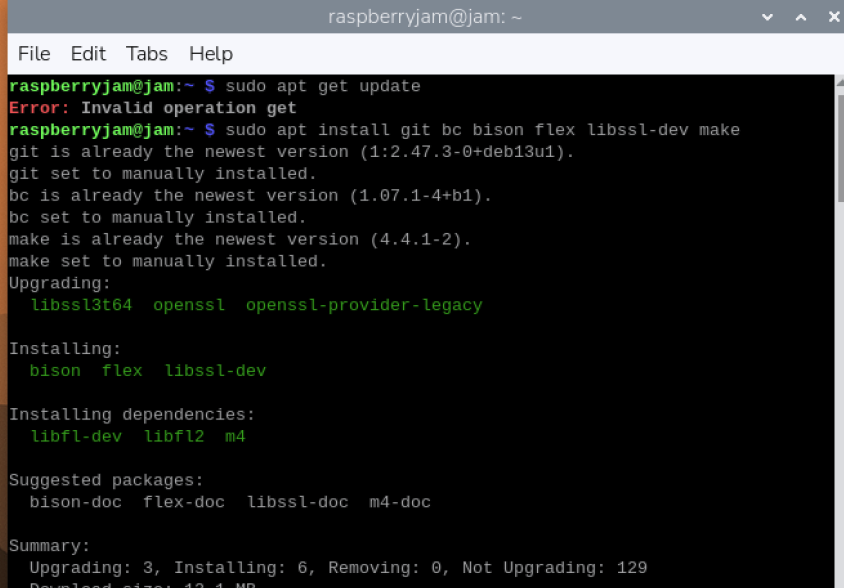
      @veye_xumm this didn't work, I updated the raspi-config to the latest one, this command didn't work. Tried this several times to no avail.

      J 1 Reply Last reply Reply Quote 0
      • J
        jambojettt @jambojettt last edited by

        @jambojettt 00213098-8123-4d6d-b8a0-7bf4a53bd685-изображение.png

        veye_xumm 2 Replies Last reply Reply Quote 0
        • veye_xumm
          veye_xumm @jambojettt last edited by

          @jambojettt
          Sorry for the slightly delayed reply. Normally, piOS comes with kernel-headers pre-installed. For example, here is a screenshot of my current system:

          9915744d-deca-4170-807d-5c7e1e0868b9-image.png
          I suspect that you might have updated to a newer minor version of piOS, which caused this issue. The current major version of piOS should be 6.12.47.

          1 Reply Last reply Reply Quote 0
          • veye_xumm
            veye_xumm @jambojettt last edited by

            @jambojettt d742fe10-c46d-4bda-8697-6dfd5492505f-image.png

            J 1 Reply Last reply Reply Quote 0
            • J
              jambojettt @veye_xumm last edited by

              @veye_xumm yes, it updated to 6.12.57, but this problem also was in 6.12.47 that it was updated from.
              How do I get the headers?

              veye_xumm 1 Reply Last reply Reply Quote 0
              • veye_xumm
                veye_xumm @jambojettt last edited by

                @jambojettt said in Can't get v4l2 to work, rasbperry pi 4b, rpi os x64, 6.12.57-v8+:

                @veye_xumm yes, it updated to 6.12.57, but this problem also was in 6.12.47 that it was updated from.
                How do I get the headers?

                My Raspberry Pi comes with headers by default. You might want to reinstall piOS? We've already released the 6.12.47 ko file on GitHub.

                J 1 Reply Last reply Reply Quote 0
                • J
                  jambojettt @veye_xumm last edited by

                  @veye_xumm I tried it before. Right now reinstalled Pi OS from Pi Imager, no kernel headers, so problem not resolved.

                  J 1 Reply Last reply Reply Quote 0
                  • J
                    jambojettt @jambojettt last edited by

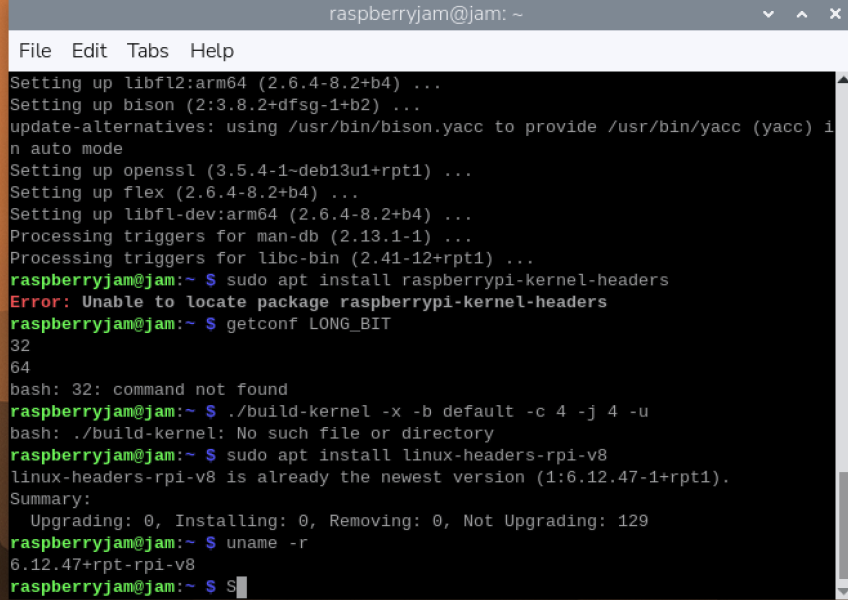
                    @jambojettt Just checked, I have a 64 bit version, just to be sure.8df17cf4-ca53-47b8-9727-a8736dd077dc-изображение.png d9607aad-14c0-4f65-bfdc-0c86dedff947-изображение.png
                    Kernel headers are installed.

                    J 1 Reply Last reply Reply Quote 0
                    • J
                      jambojettt @jambojettt last edited by

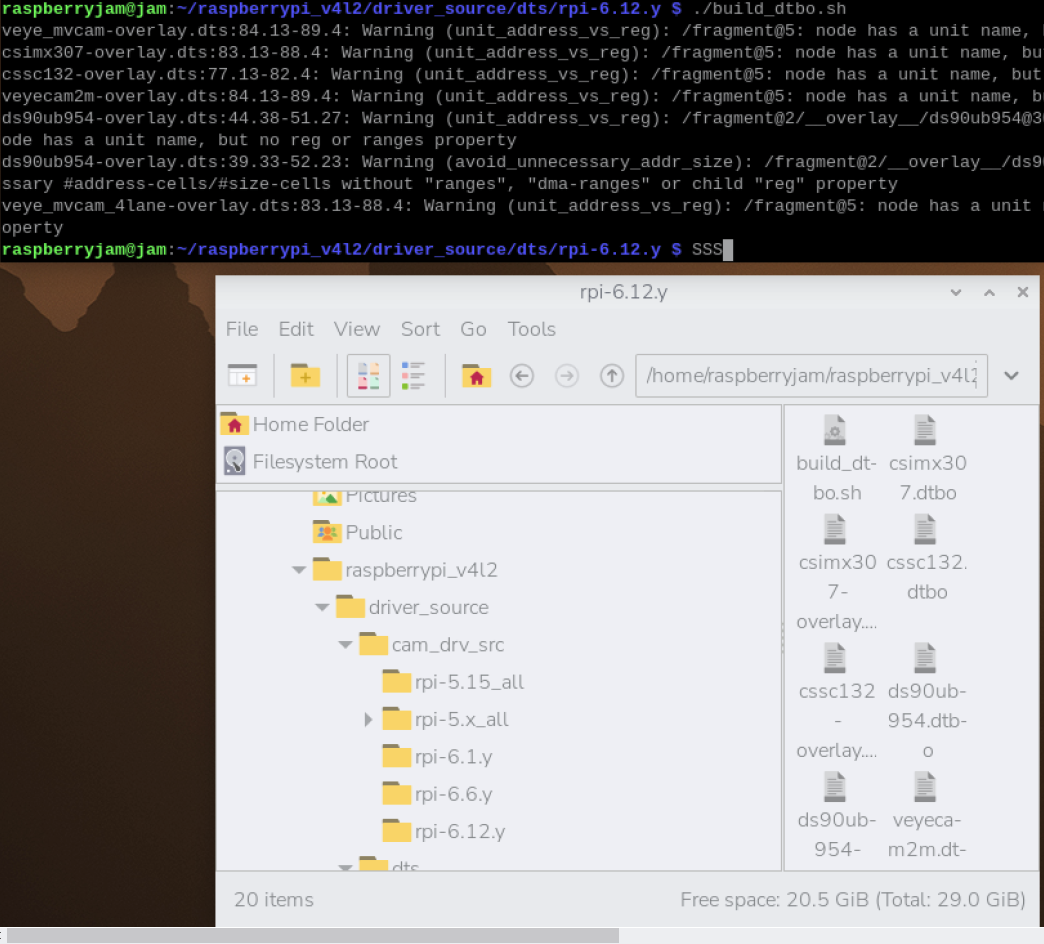
                      @jambojettt cd63d813-3a51-4b59-8e65-85f3d44c7dab-изображение.png
                      Did everything step by step on the github page. The kernel thing didn't work. Don't know what to do next. dmesg didn't work

                      veye_xumm 1 Reply Last reply Reply Quote 0
                      • veye_xumm
                        veye_xumm @jambojettt last edited by

                        @jambojettt
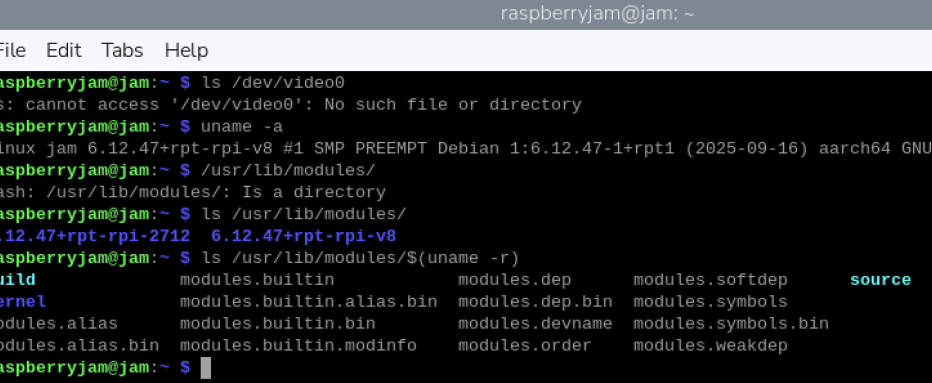
                        Normally, the PiOS you installed comes with kernel-headers. Could you tell me which image link you used?
                        Can you help run this script and send me the results?

                        uname -a
                        ls /usr/lib/modules/
                        ls /usr/lib/modules/$(uname -r)
                        
                        J 1 Reply Last reply Reply Quote 0
                        • J
                          jambojettt @veye_xumm last edited by

                          @veye_xumm 0591c4e9-27a3-4c57-b77d-eb40ae95ee1b-изображение.png
                          Wrote them, sending the results.

                          veye_xumm 1 Reply Last reply Reply Quote 0
                          • veye_xumm
                            veye_xumm @jambojettt last edited by

                            @jambojettt
                            Sorry for reply late.
                            I see that your raspberrypi-kernel-headers are installed. You should be able to directly run make in the driver source code directory.

                            J 1 Reply Last reply Reply Quote 0
                            • J
                              jambojettt @veye_xumm last edited by

                              @veye_xumm can you specify what I need to do?

                              @veye_xumm said in Can't get v4l2 to work, rasbperry pi 4b, rpi os x64, 6.12.57-v8+:

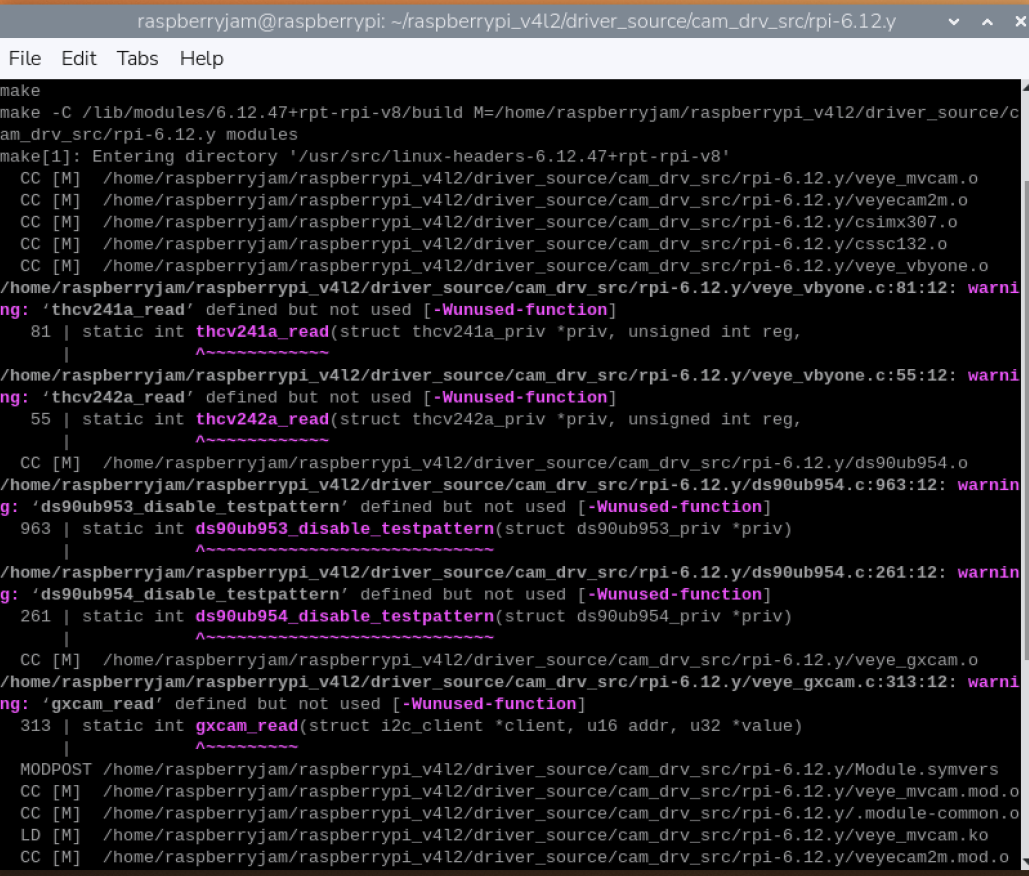
                              make

                              deleted the folder raspberrypi_v4l2
                              reinstalled by github
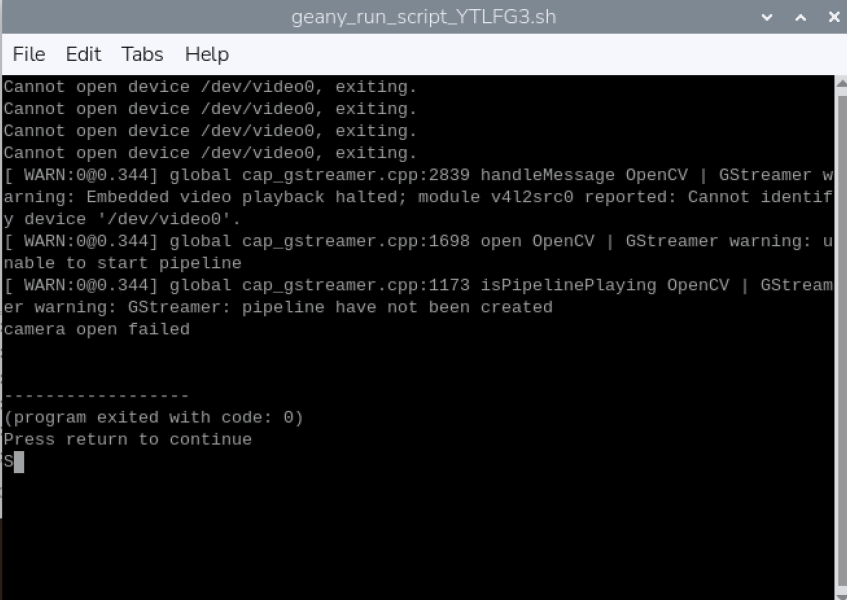
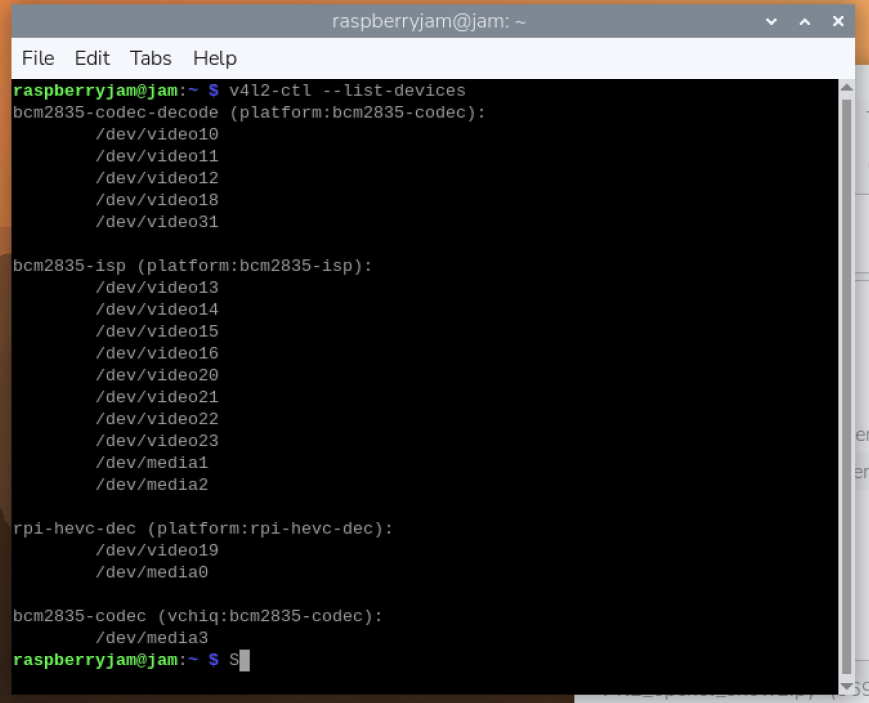
                              c927e276-18bd-4eae-8f78-c5f81705ce1a-изображение.png

                              I have no idea why it doesn't work.

                              096ba0ad-8b6b-4b2c-8b35-7dcaabb7cdb8-изображение.png

                              Which one do I use?

                              veye_xumm 1 Reply Last reply Reply Quote 0
                              • veye_xumm
                                veye_xumm @jambojettt last edited by

                                @jambojettt

                                Please try this released version again. This time it will work.

                                https://github.com/veyeimaging/raspberrypi_v4l2/releases/tag/v1.27

                                J 1 Reply Last reply Reply Quote 0
                                • J
                                  jambojettt @veye_xumm last edited by

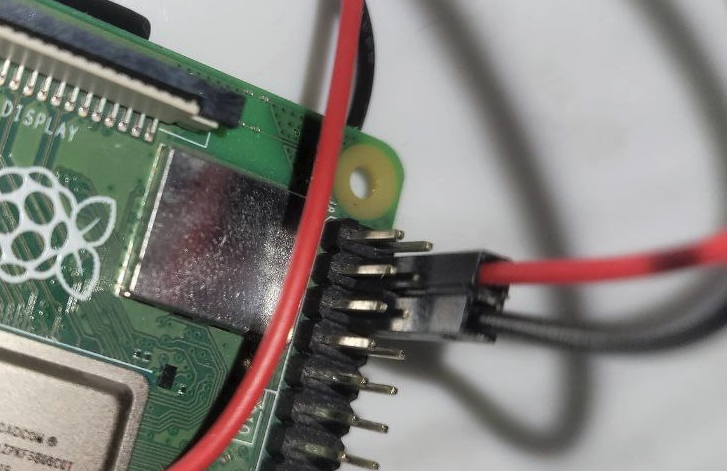
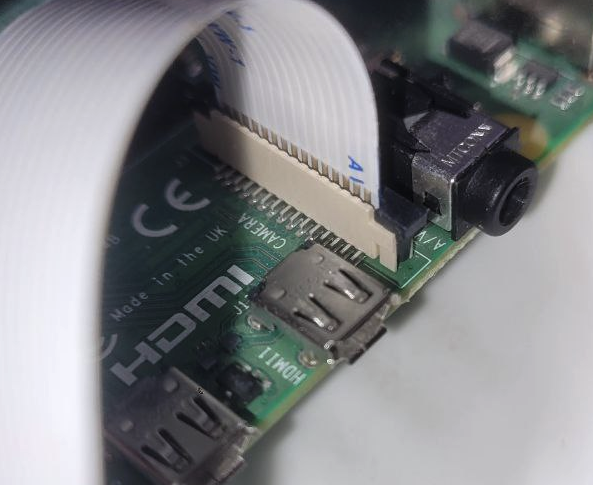
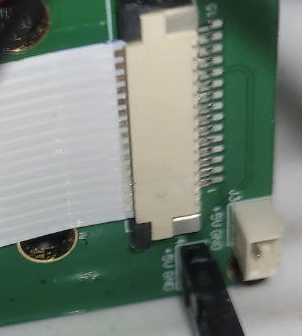
                                  @veye_xumm did delete a folder raspberrypi_v4l2, reinstalled. Checked the connections, everything was in order. Pins on the ribbon cable to the top on the module and to the front on the pi. Checked the power pins. Everything was okay. I don't have samba in raspi-config, but I enabled ssh. Also don't have Camera interface in options.
                                  The dev/video0/ is still unfound.

                                  veye_xumm 1 Reply Last reply Reply Quote 0
                                  • veye_xumm
                                    veye_xumm @jambojettt last edited by

                                    @jambojettt
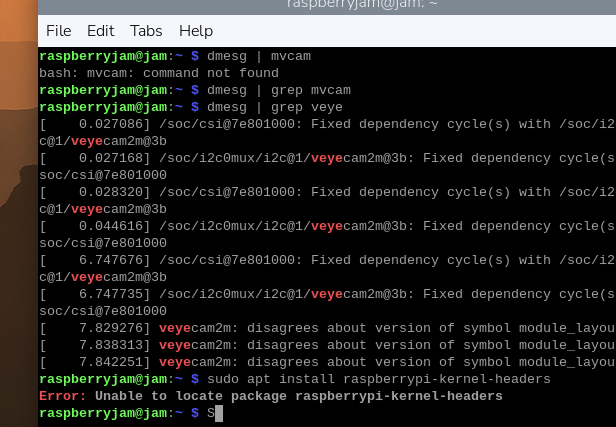
                                    show me the result of this cmd:

                                    dmesg | grep veye
                                    
                                    J 5 Replies Last reply Reply Quote 0
                                    • J
                                      jambojettt @veye_xumm last edited by

                                      @veye_xumm nothing showed

                                      1 Reply Last reply Reply Quote 0
                                      • J
                                        jambojettt @veye_xumm last edited by

                                        @veye_xumm is there any point in a fresh pi os install?
                                        I accidentally swapped the pins after I checked everything, and it shorted, hope it works.
                                        I just need it to work, so I can do my thesis on argicultural application of machine learning.

                                        1 Reply Last reply Reply Quote 0
                                        • J
                                          jambojettt @veye_xumm last edited by

                                          @veye_xumm 9f686e97-dc20-4966-86e7-55b3869d936e-изображение.png
                                          Everything is the same

                                          1 Reply Last reply Reply Quote 0
                                          • J
                                            jambojettt @veye_xumm last edited by

                                            @veye_xumm a926f7d9-25bb-40db-bc6d-d6136c0cddd9-изображение.png fc72b201-eabf-40b3-81b9-de8a99077f4b-изображение.png !438d2092-5f6a-460e-b2b2-438605356263-изображение.png [0_1764333202538_7825037f-a24a-4cbf-b16b-42693c1e5a87-изображение.png](Uploading 100%)
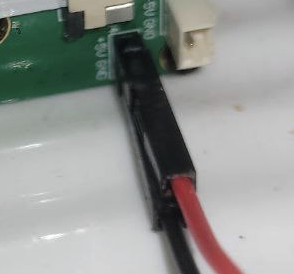
                                            I'm out of possible problems, maybe i got the pins wrong.8c38bbeb-7f2c-423a-bb4c-546227c6c1ea-изображение.png
                                            1 Reply Last reply Reply Quote 0
                                            • First post
                                              Last post